
How do I configure Power Play mode?
Power Play mode can be optionally enabled and customized per event in Thrillify. After you enable it you can choose how quickly players earn powers, and control exactly which powers are available.
Learn more about how Power Play works
What you can configure
In the Power Play settings for an event, you can:
- Enable or disable Power Play for that event
- Set Base Points, which are used to calculate the value of powers that scale with points
- Set Power Points earned per completed challenge
- Enable or disable individual powers
- Customize each power’s settings for every rarity level
Base Points
Base Points act as the foundation for many Power Play calculations. Some powers use a multiplier instead of a fixed point value.
For example, if a power uses a point multiplier, increasing Base Points will make that power stronger across all rarities. We recommend picking a Base Points value that is an average number of points you would earn for completing a single challenge in that event.
Power Points per challenge
This setting controls how quickly players charge their Power Play meter. When a player reaches 100 Power Points, they can activate Power Play and choose a power.
A higher value means players will unlock powers more often. A lower value makes power picks more rare and strategic. The default value is 20 Power Points per completed challenge, which means players will earn a power every 5 completed challenges.
Enabling and disabling powers
You can choose exactly which powers players are allowed to receive in that event. If a power is disabled, it won’t be included in the random Power Play choices.
This makes it easy to tailor the experience for different kinds of events, such as:
- lighthearted events with only helpful powers
- competitive events with offensive and defensive powers
- GPS-heavy events where Pathfinder is useful
- trivia-heavy events where Oracle becomes more valuable
Customizing rarities
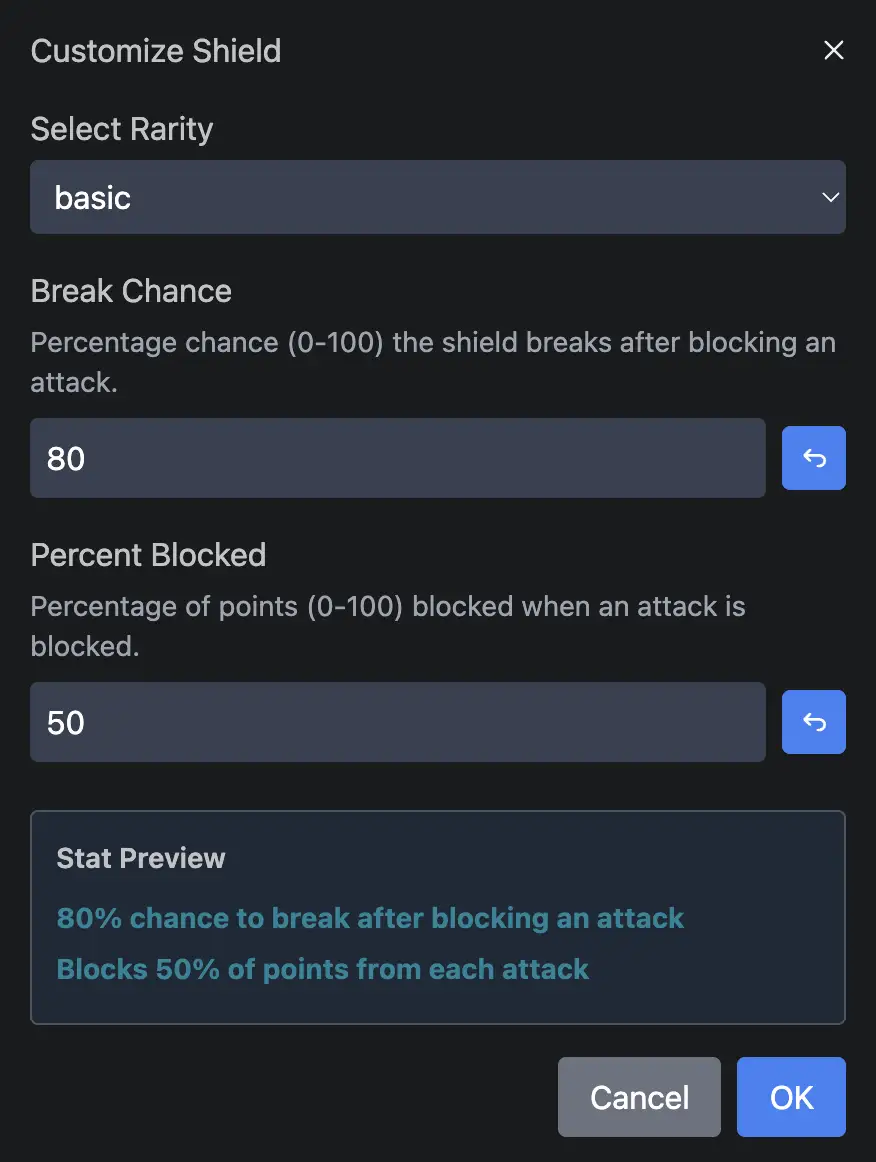
Each power has rarity-specific settings. Depending on the power, those settings may control things like:
- points gained
- points removed
- duration
- number of uses
- number of affected challenges
- shield break chance
- percentage of blocked attack points
This gives you fine control over how strong Basic, Rare, Epic, and Legendary versions feel.
Best practices
- Keep Base Points aligned with your event’s overall scoring system.
- Tune Power Points per challenge to balance how often players can use powers based on how many challenges you expect them to complete and how quickly.
- Review GPS and trivia usage in your event before enabling powers like Pathfinder or Oracle.
- Test your settings before launch so the strength of each rarity feels fair.
Key Takeaways
- Power Play settings are controlled per event.
- You can adjust meter charging, point scaling, and which powers appear.
- Each power can be customized by rarity.
- Good configuration helps Power Play match the tone and strategy of your event.