
How do I adjust points for a challenge submission?
Sometimes you may need to give extra credit, reduce points, or fix a mistake in scoring a submission. Thrillify makes it easy for event organizers to adjust points after a challenge has been submitted.
1. Open the Submission
From the Submissions feed in the Backstage Dashboard, locate the challenge entry you want to adjust.
Click the ••• menu on the submission and select Modify Points.
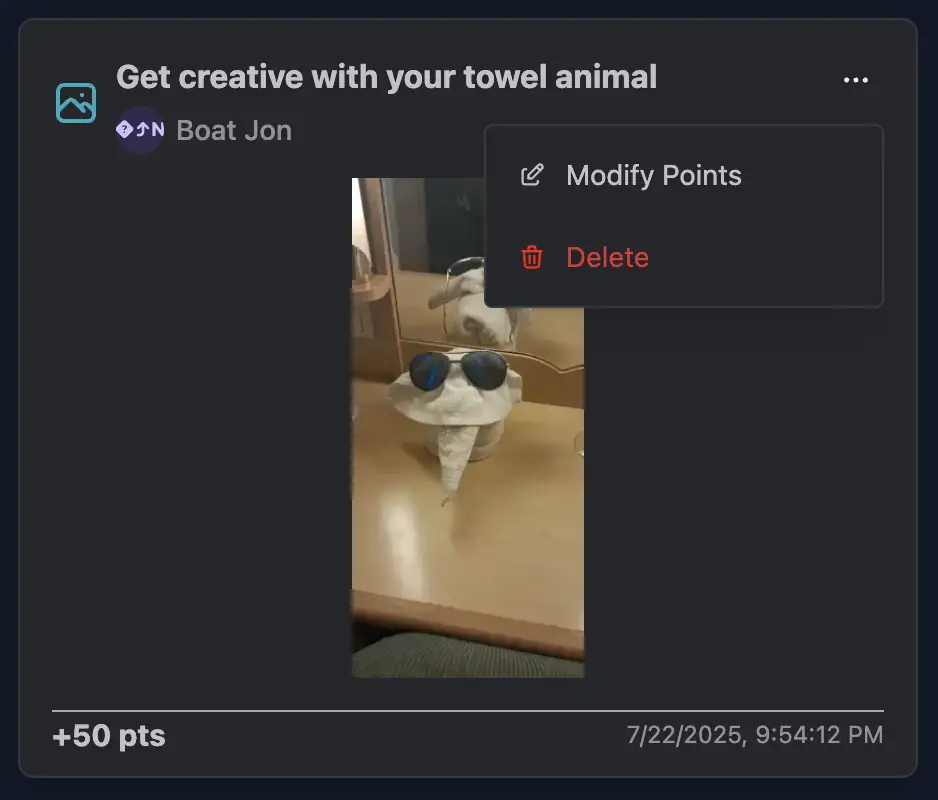
2. Enter the Adjustment
In the Modify Points dialog, enter the number of points you want to add or subtract.
- Use a positive number to add points.
- Use a negative number to subtract points.
You can also include an optional Reason to explain why the adjustment was made.
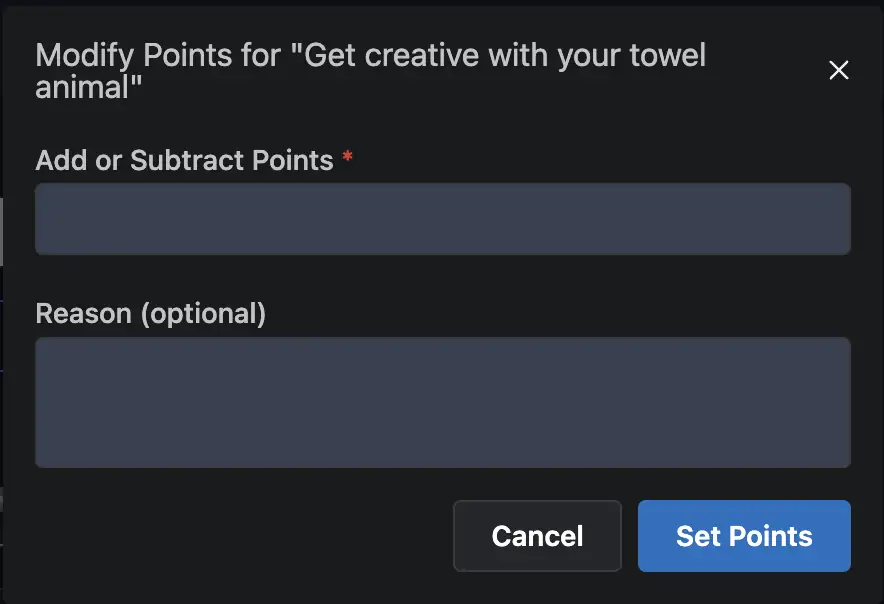
When you’re done, click Set Points to apply the change.
3. Updated Score
Once saved, the submission will reflect the updated score in the feed. Players will see the corrected points on their team’s leaderboard total. Any points adjustments will appear in point timelines at the time the change was made.
Notes
- Only Event admins can adjust points.
- Adjustments apply immediately and update the leaderboard in real time.
- Adding or subtracting points does not delete the original submission — it simply changes the score value.
- Use the Reason field when possible to keep a record of why the adjustment was made.
TIP
Point adjustments are useful for rewarding creativity, correcting mistakes, or applying penalties for rule-breaking.