
Can players join my Event before it starts?
Early Join Overview
Thrillify gives organizers the option to let players join an Event before it officially begins. This is useful if you want everyone to register early, get familiar with the app, and be ready when the challenges unlock.
By default, players cannot join until the Event start time. But if you enable Allow players to join early, they’ll be able to join in advance.
How to configure early join and challenge visibility
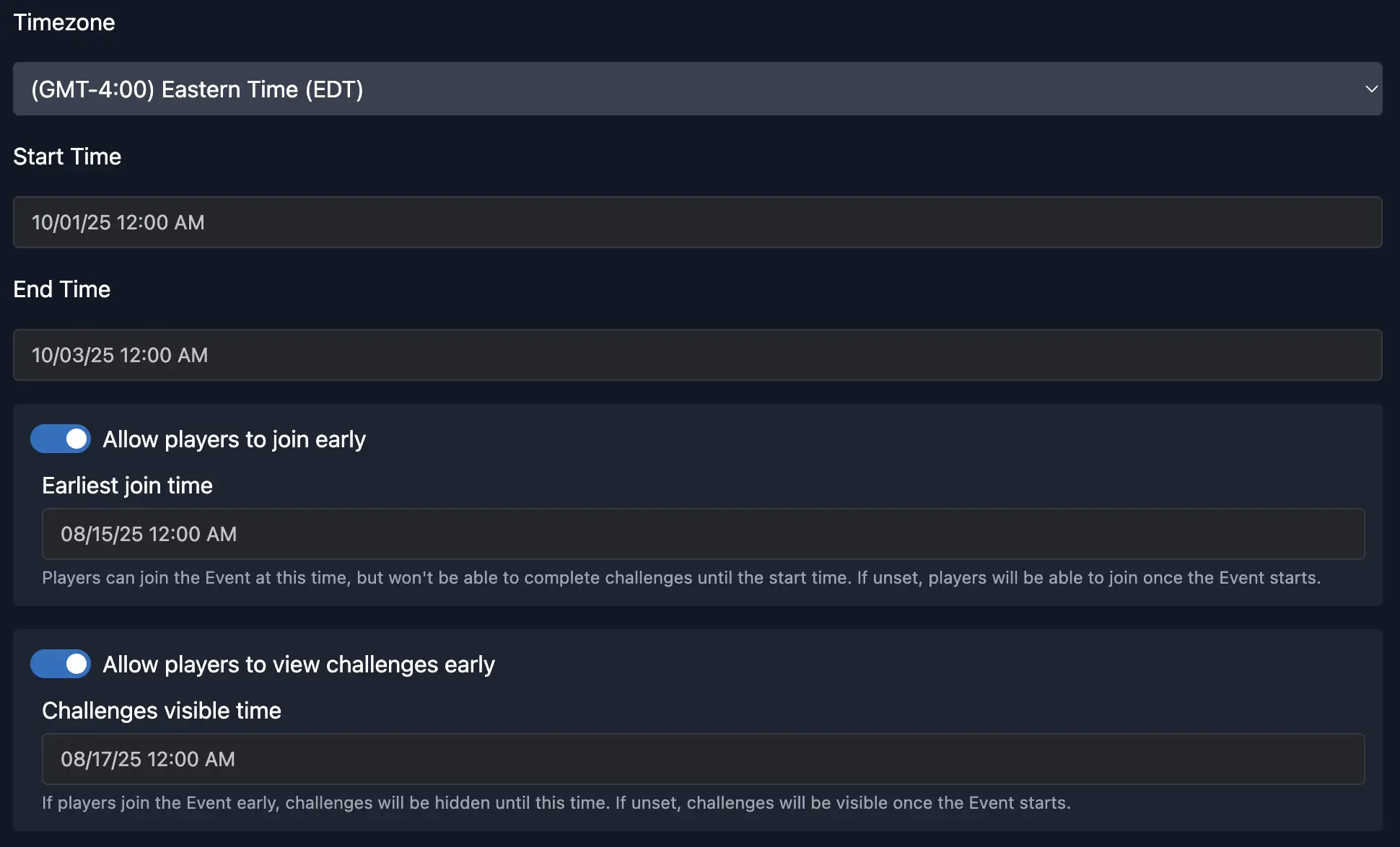
You can find the settings to allow early joining and control when challenges become visible in the Backstage Dashboard in the Event Edit General settings.
- Toggle Allow players to join early and set the earliest join time to control when players can join before the Event starts.
- Toggle Allow players to view challenges early and set the challenges visible time to control when challenges become visible before the Event starts.
TIP
Players will always be able to join and view challenges at the Event start time, even if early joining or early challenge visibility is disabled.
What players see before the Event starts
When players join before the official start time, they’ll see the Event details and countdown, but they cannot complete challenges yet.
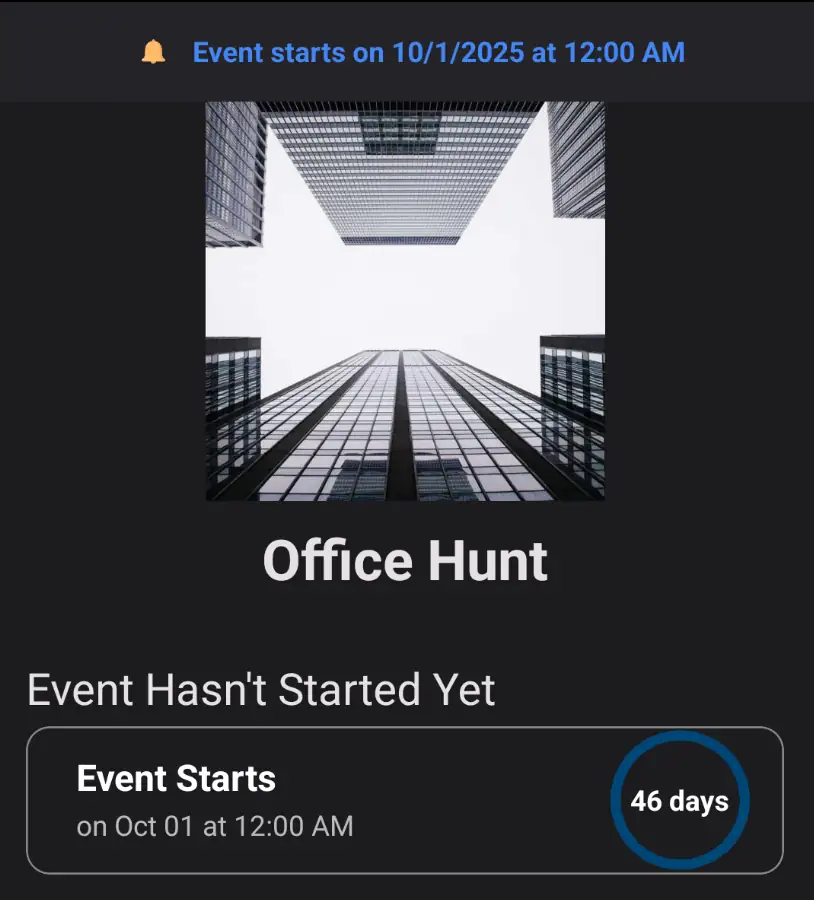
In the app, the Event page and top banner will clearly indicate that the event has not yet started, displaying the scheduled start date and time.
Challenge visibility before the Event
Even if players can join early, you may not want them to see challenges until closer to the Event. Thrillify allows you to set a Challenges visible time. Before that time, players will see a notice that challenges are hidden.
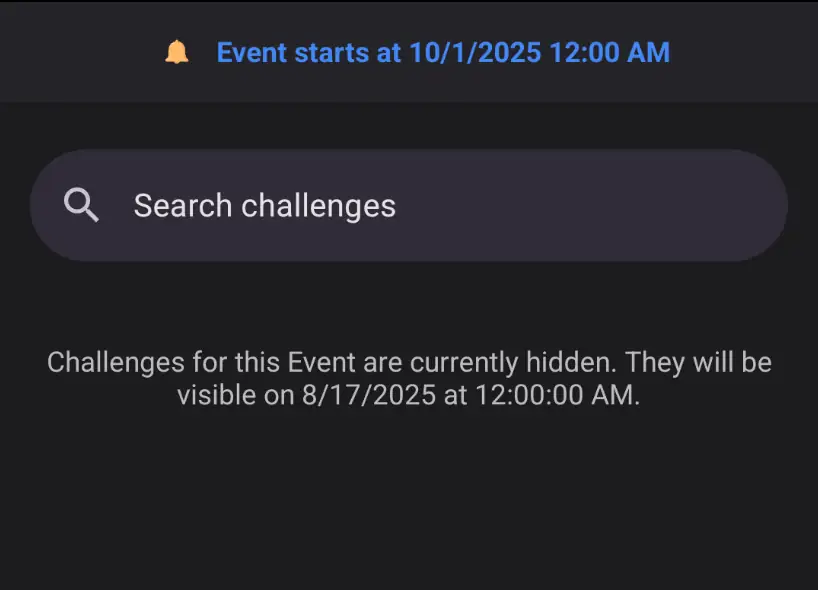
For example:
- Your Event starts on October 1st at 12:00 AM
- You set Challenges visible time to August 17th at 12:00 AM
Players who join early will see a message like:
“Challenges for this Event are currently hidden. They will be visible on August 17th at 12:00 AM.” Once the challenges become visible, players will be able to see them but still cannot complete them until the Event start time.
Players will be able to see challenge names and descriptions, but the challenges will be disabled until the Event start time. For trivia challenges, players will see the question text but not the answer choices until the Event starts.
TIP
Players will always be able view challenges at the Event start time, even if early challenge visibility is disabled.
Quick Tips
- Let players in early: This gives them time to join and avoid last-minute access issues.
- Control challenge reveal: Keep challenges hidden until you’re ready for participants to see them. Challenges will always automatically become visible at the Event start time.
- Use both options together: Players can join weeks early but won’t see challenges until your chosen date.