
How do I upgrade an event to add more participants?
Upgrade a Single Event for More Participants
If your Event requires more participants than the Starter plan supports or if it has reached its current participant limit, you can purchase either an Event upgrade or a Subscription to increase capacity.
Step 1: Open Your Event in Backstage
Go to Thrillify Backstage and open the Event you want to upgrade.
Step 2: Start the Upgrade Flow
Navigate to the Edit -> General tab. You will see an informational box at the top indicating what your organization’s current plan is and how many participants the event supports. Press the Upgrade this Event button to select the type of upgrade you want.
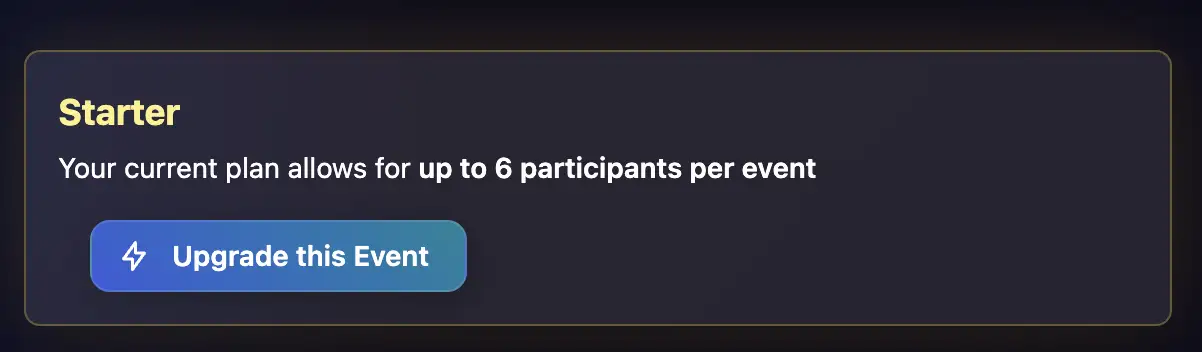
Step 3: Select which upgrade you want
You can choose between a one-time Event Pass or a Subscription. The Event Pass is a one-time purchase that upgrades the selected Event to allow for additional participants. A Subscription allows your organization to run unlimited Events without purchasing one-off upgrades for each event.
INFO
Events are limited by how many total participants can be invited in the app. Events can be played in solo mode where each participant is on their own team, or in team mode where participants complete challenges together. Events can have as many teams as there are participants and each team can have as many participants as the Event is configured to allow.
Step 4: Complete Payment
Checkout is powered securely by Stripe.
After payment is successful, your Event capacity updates automatically and you can continue inviting participants.
Tips
- You can upgrade a single Event multiple times if you need to add more participants.
- Event Passes apply to the selected Event, but subscritions apply to your entire organization.
- Subscriptions offer cheaper pricing per-participant than one-off Event passes.
- If you regularly run Events, a subscription may be more cost-effective.
To run unlimited Events, see: How do I purchase a subscription to run unlimited Events?
Need Help?
If you have any questions, contact support at support@thrillify.com.