
How do I purchase a subscription to run unlimited Events?
Purchase a Subscription for Unlimited Events
A Thrillify subscription lets your organization run unlimited Events without purchasing one-off Event upgrades each time. There are 3 subscription tiers available (Lite, Pro, and Max), each with different per-event participant limits.
Step 1: Open Billing in Backstage
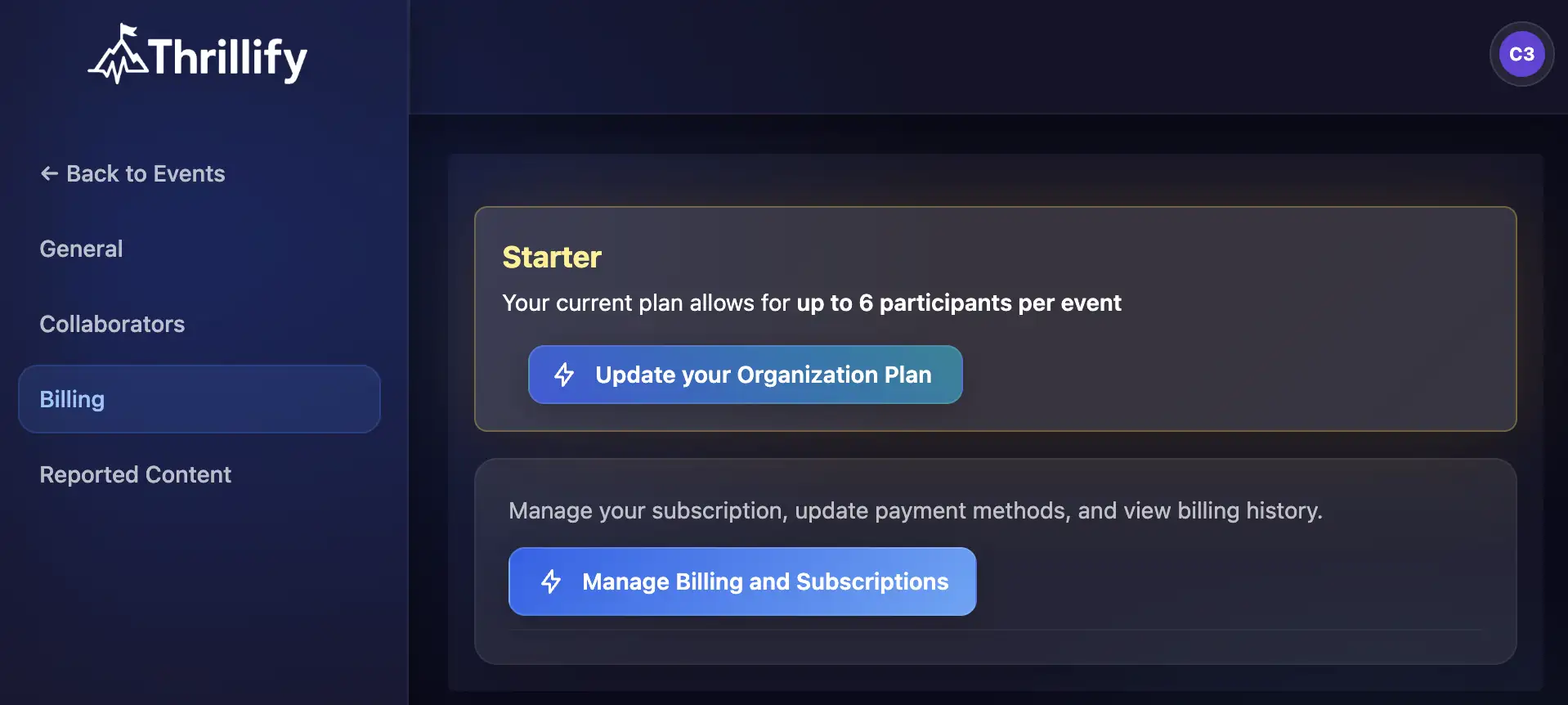
In Thrillify Backstage, open your profile menu, choose Organization, then select Billing.
Choose Update your Organization Plan.
Step 2: Choose a Subscription Plan
Pick the plan that best matches your expected Event volume and team needs.
Annual plans offer a discount compared to monthly plans, and you can upgrade or downgrade your plan at any time.
Step 3: Complete Checkout in Stripe
You will be redirected to a secure Stripe checkout.
Enter your payment details and complete the purchase.
After checkout succeeds, your organization subscription becomes active and you can run unlimited simulatenous Events while your subscription is active.
Manage Your Subscription
After purchasing, you can manage billing details, view invoices, and update payment methods from the Manage Billing portal.
- Update payment details: How do I change my payment details?
- Download invoices: How do I download my invoice?
Need Help?
If your subscription does not appear as active after purchase, contact support at support@thrillify.com.